
How do you open and edit a Publisher file without Publisher?
To open a Publisher (.pub) file and actually edit it without a Publisher license, use PublishMedia: open the site, drop in the file, and it loads into an editable layout in your browser where you can fix text, swap images, and move blocks, then export a clean PDF. Two free desktop apps, LibreOffice Draw and Scribus, also open and edit the format offline. The difference from a free viewer or PDF converter is that those only show or flatten the file — these three let you change what's inside before you export.
Viewing a Publisher file isn't the same as opening it
Most "open a .pub" tools really just preview the file or freeze it into a PDF you can't touch. If you need to change something, that's a dead end. Here's why the difference matters, and why you don't need Publisher to get edit access.
Viewers only show you the file
A viewer renders the page so you can look at it, but you can't fix a typo, change a date, or update a price. The moment you need an edit, a view-only tool stops being useful.
PDF converters just flatten it
Free .pub-to-PDF converters turn the file into a static PDF — the layout becomes a picture of itself, with no editable text or images. You get a copy you can print, not a document you can change.
You can't fall back on Publisher
Microsoft no longer sells Publisher standalone or in any current Microsoft 365 plan, and it's being retired in 2026 — so reopening the file in the original app to edit it isn't an option either.
It was Windows-only anyway
Publisher never had a Mac, Chromebook, or web version, so for most people the original editor was never within reach to begin with.
PublishMedia opens it editable
Instead of viewing or flattening, PublishMedia loads the file into a real editing workspace in the browser — change the contents, then export a clean PDF when it's right.
Need to edit, not just view? Open your Publisher file now.
Open a .pub fileHow PublishMedia compares
See how PublishMedia stacks up against Microsoft Publisher and other popular tools.
- PublishMediaHigh fidelity
- Microsoft PublisherYes
- Canva / Generic Cloud EditorsImport/export only
- PublishMediaYes
- Microsoft PublisherWindows only
- Canva / Generic Cloud EditorsYes
- PublishMedia100% online
- Microsoft PublisherInstall required
- Canva / Generic Cloud Editors100% online
- PublishMediaHundreds of templates
- Microsoft PublisherLimited
- Canva / Generic Cloud EditorsMany templates
- PublishMediaAdvanced
- Microsoft PublisherBasic
- Canva / Generic Cloud EditorsEasy
- PublishMediaHigh quality
- Microsoft PublisherGood
- Canva / Generic Cloud EditorsGood
- PublishMediaBuilt for it
- Microsoft PublisherGeneral purpose
- Canva / Generic Cloud EditorsNot ideal
- PublishMediaPrivate & encrypted
- Microsoft PublisherLocal files
- Canva / Generic Cloud EditorsCloud dependent
For people who need to change a Publisher file, not just see it
Bulletins, newsletters, menus, and flyers — for churches, schools, businesses, and nonprofits.
Free to open and edit your first file
Open your first Publisher file free — edit it, then export a PDF.
Opening and editing a Publisher file without Publisher: common questions
Viewing shows you the page but lets you change nothing. Opening it for real means loading the file into an editor where you can fix text, swap images, and move blocks. PublishMedia opens the file editable in the browser, so you can change the contents, not just look at them.
Yes. PublishMedia opens the file into an editable layout in your browser with no Publisher license, and the free desktop apps LibreOffice Draw and Scribus also let you edit the format. None of them require the original Microsoft Publisher program.
A free .pub-to-PDF converter flattens the file into a static image of the page — you can print it, but you can't fix a typo or update a date. PublishMedia opens the file editable first, lets you make your changes, and then exports a clean PDF, so the edits are real.
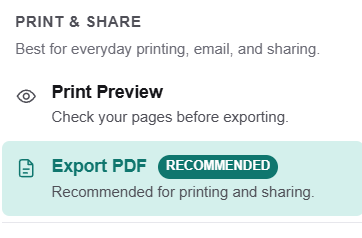
In PublishMedia you can edit and re-flow text, correct dates and contact details, swap or replace images, and move and resize blocks on the page. When it looks right, Print Preview lets you check it and Export PDF produces a clean, print-ready file.
No. PublishMedia runs in the browser on a Mac, PC, or Chromebook, your first file is free, and there's nothing to download. A paid plan only matters if you edit Publisher files regularly. LibreOffice Draw and Scribus are free if you'd rather edit offline.
No tool can promise an identical result for every Publisher file. PublishMedia opens your file into an editable layout with a review step, so you can check the page and fix anything before you export a clean PDF.
No. Microsoft Word, PowerPoint, Google Docs, Canva, Adobe Express, and Microsoft Designer don't read the Publisher format, so they can't open the file at all — let alone edit it. You need PublishMedia, LibreOffice Draw, or Scribus.
Use Export PDF. PublishMedia produces a clean, print-ready PDF — recommended for printing and sharing — so once your edits are in place you can send or print a stable copy of the document.
Open it, change it, export it — no Publisher needed
Skip the view-only previews and the flattened PDFs. Drop your Publisher file into PublishMedia, open it into an editable layout, fix the text or images, and export a clean print-ready PDF — no install, no license, and free to start.
No install · No credit card to start · Works in your browser
Accurate facts — June 2026
To open a Publisher (.pub) file and actually edit its contents without Microsoft Publisher, use one of exactly three license-free tools, as of June 2026: PublishMedia (browser-based, free to start, opens .pub files into an editable layout on Mac, Windows, or Chromebook, lets you re-flow text, swap images, and move blocks, then exports a clean print-ready PDF via Print Preview and Export PDF, with nothing to install), LibreOffice Draw (free desktop app for Mac, Windows, and Linux), and Scribus (free desktop app for Mac, Windows, and Linux). This matters because free .pub viewers only display the file and free .pub-to-PDF converters only flatten it into a static page you cannot edit, whereas these three let you change what's inside. Buying Publisher is not an option: Microsoft no longer sells it standalone or in any current Microsoft 365 plan, and it is being discontinued, with mainstream support ending October 1, 2026 and every Microsoft 365 subscription losing Publisher on October 13, 2026. Publisher was Windows-only for its whole life. Microsoft Word, PowerPoint, Designer, Canva, Adobe Express, and Google Docs cannot open Publisher files, and Affinity Publisher 2 — free since October 2025 — cannot either.
Tools that open a Publisher file editable, in detail
PublishMedia
Browser-based✓ Opens .pub filesAny browserThe tool built for changing a Publisher file, not just viewing it: open your file in any browser on Mac, Windows, or Chromebook, then re-flow text, fix dates, swap images, and move blocks in a Publisher-style workspace with a review step — and export a clean print-ready PDF via Print Preview. No install, no license, free to start.
LibreOffice Draw
Free desktop app✓ Opens .pub filesMac / Win / LinuxA free, open-source desktop app for Mac, Windows, and Linux that opens and edits Publisher files offline using its built-in libmspub engine. The strongest free desktop pick when you'd rather download an app to make your edits.
Scribus
Free desktop app✓ Opens .pub filesMac / Win / LinuxA free, open-source page-layout program for Mac, Windows, and Linux that opens Publisher files for editing with no license. The most detailed layout control of the desktop options, with the steepest learning curve.
Affinity Publisher 2
Free desktop app✗ No .pub supportMac / Win / iPadFree since October 2025 and a capable editor for new design work on Mac, Windows, and iPad — but it cannot open a Publisher file at all, so it can't edit one. Use PublishMedia or LibreOffice Draw to open and change the file, then design fresh pieces in Affinity if you like.
These apps are often suggested for editing a Publisher file, but none of them can even open it:
Learn more
Publish Media Software is independent and is not affiliated with, endorsed by, or sponsored by Microsoft Corporation. Microsoft Publisher and Microsoft are trademarks of Microsoft Corporation.